Tucked
Your Mac, at a glance.
- Platform
- macOS
- Interface
- SwiftUI + AppKit
- Telemetry
- Mach + SMC + IOKit
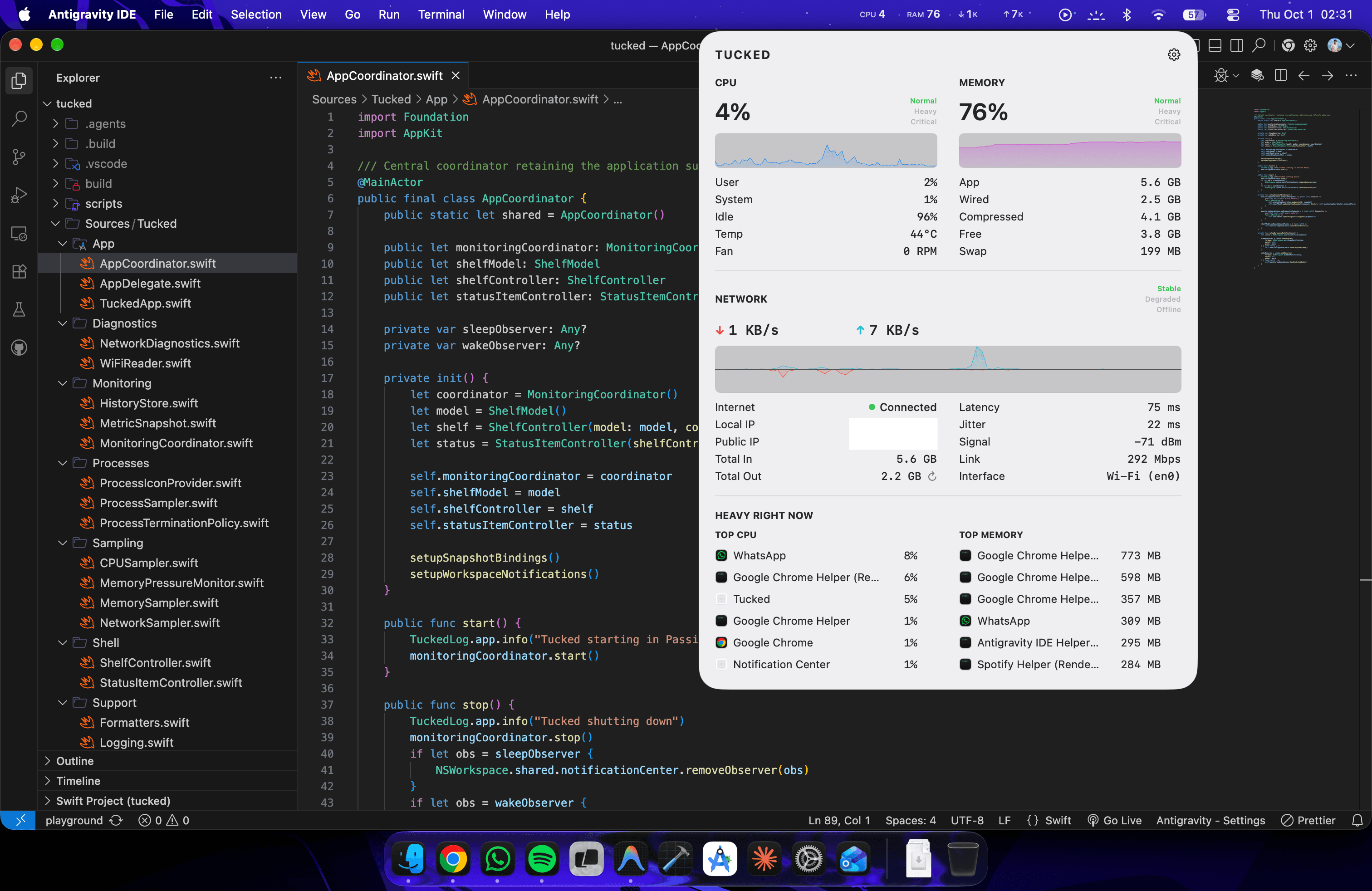
Tucked is a native menu-bar system monitor built to answer one question quickly: what is my Mac doing right now? It keeps CPU, memory, and network activity visible at a glance, then opens into a compact shelf with thermals, live history, network diagnostics, and the processes responsible for resource spikes.
Challenge
A system monitor is only useful if it stays out of the way. The challenge was collecting meaningful system telemetry continuously without turning the monitor itself into another process consuming noticeable CPU, memory, or battery.
Approach
Tucked uses native Darwin Mach APIs, IOKit, SMC, CoreWLAN, and AppKit instead of shell polling or cross-platform runtimes. A dual-state monitoring engine keeps only cheap aggregate sampling active while the shelf is closed, then wakes process analysis, thermal readings, and richer network diagnostics only when the interface is open. SwiftUI renders the shelf while AppKit owns the menu-bar and popover lifecycle.
Outcome
A focused Apple Silicon utility that keeps everyday system health visible without becoming a full Activity Monitor replacement. CPU, memory, network, temperature, fan speed, history, and heavy processes stay in one compact surface while expensive diagnostics sleep when they are not needed.
Core stack
- Swift
- SwiftUI
- AppKit
- IOKit
- macOS